
Did you know that a simple photo or a short video can grab millions of eyes in just minutes? That’s not just the magic of “Instagram,” it’s a world full of opportunities waiting for you. But behind these beautiful feeds and endless scrolling, what’s really happening?
How do algorithms decide what gets seen and what gets buried? Why do some posts go viral overnight while others disappear without a trace?
If you’re a beginner, you might feel overwhelmed or even a little intimidated: “Where do I start? How do I make a post that actually gets noticed? Can I really reach people?” Don’t worry. This Instagram guide will walk you step by step through the exciting world of IG!
Photo-sharing platform isn’t just an app; it’s a chance to showcase your creativity, tell your story, and connect with millions. And you’re about to take your first step.
What Is Instagram?
Instagram is a globally accessible, free social media platform that launched in 2010, built primarily for sharing photos and videos, and it has evolved into a robust digital ecosystem that serves as a hub for visual storytelling and community building for both individuals and businesses.
Owned by Meta (formerly Facebook), its design encourages authenticity, snapshots of real life mixed with creativity and expression. This platform is not static; for example, while the “Guides” feature was retired in late 2023, Instagram frequently releases new tools, meaning that keeping an eye out for changes is key to staying relevant.
For instance, a local coffee shop might use Stories to showcase its morning brews, while a fitness coach shares short motivational Reels to inspire followers. It’s not just about posting pictures; it’s about building relationships through visuals and conversation.
Pro Tip: For a more in-depth analysis of your competitors and content creators, use our litedownloader Instagram downloader tool to download their Reels and Stories and examine their visual strategy. This will help you make your own content more targeted and effective.
How to Use Instagram? Navigating the Features of the Instagram App
When you open the app, you’ll find five main icons at the bottom of the screen:
- Home: Your feed, posts from accounts you follow.
- Search (Explore): Discover new creators, hashtags and trending content.
- Create (+): Where you upload photos, videos or stories.
- Reels Tab: Explore trending short videos.
- Profile: View or edit your bio, highlights and posts.
The top bar gives you access to notifications, messages and account settings. This detailed view is part of an effective visual social media tutorial. If you’re questioning how to use Instagram for beginners, start by familiarizing yourself with these bottom navigation icons.
If you’re a creator or business, the “Professional Dashboard” helps track performance metrics, such as reach, engagement and audience demographics. Behind the scenes, Instagram uses algorithms that prioritize content based on engagement, relevance and recency. This means that aiming for meaningful interaction over vanity metrics is crucial for content visibility.
Note that you never publish content without data and analytics. By reviewing Instagram’s key metrics to measure success, you can understand what content is getting the most views and engagement.

What is Instagram Used for?
The platform serves as a versatile tool for personal expression, professional marketing, and education, enabling users to build communities, stay informed on trends, and even generate income through visual content and direct interaction.
People use Instagram for countless purposes, personal, social and professional. For individuals, it’s a space to express themselves, follow their interests, and stay updated on global trends. For brands, it’s an engine for marketing, storytelling and sales. Let’s break it down:
Personal Use
- Sharing life updates, vacations, milestones, or creative hobbies.
- Following friends, influencers or topics you care about.
- Using the app simply for fun: memes, short videos, and interactive content.
Community Building
- Joining groups or interest-based followings (like art, fitness, travel).
- Collaborating with like-minded creators, sharing content, and doing live chats.
- Building micro-communities via Stories, DMs and comments.
Business and Marketing
- Running ads, promoting products, hosting giveaways and campaigns.
- Publishing behind-the-scenes content to show brand authenticity.
- Using features like Instagram Shopping or tags to drive sales.
- Analyzing performance via analytics to refine strategy.
Education and Inspiration
- Following thought-leaders, artists, and educators who share tips, tutorials and motivational content.
- Learning trends, design ideas, and new skills, all via short-form visuals.
- Using the app as both entertainment and a learning platform.
In short, the app has grown into a digital lifestyle, part scrapbook, part marketplace, part entertainment hub.
Read more: To get inspiration and learn content creation techniques from popular accounts, see What are the most-followed Instagram accounts in 2025?
What Are the Features of Instagram?
To master the platform, it’s essential to understand how Instagram’s core features (like the Feed, Stories, Reels, and DMs) work together to form a dynamic ecosystem that promotes content consumption, private communication, and content discovery.
To truly understand how to use it effectively, you need to know its key features and how they work together:
Feed
The main scrollable page where you see posts from accounts you follow, a mix of photos, carousels, and videos.
Tip: If your Instagram feed sometimes doesn’t refresh and you don’t know why, you can easily fix this error by following this tutorial on how to fix the Refresh Feed problem on Instagram.
Stories
Temporary 24-hour posts are often used for behind-the-scenes updates or interactive polls.
Read more: Have you ever wondered who views your Stories the most or why the order of views changes? We recommend you read the article The order of Instagram Story viewers in 2025 to get a more detailed look behind the scenes of the Stories display algorithm.
Reels
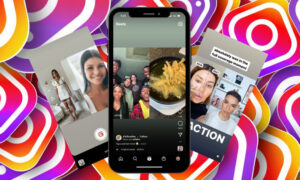
Short, creative videos (up to 90 seconds) designed for discovery and entertainment. Perfect for creators wanting to go viral.
Consider that if you want your Reels to get the most views, posting time is crucial! Be sure to get data about the Best Time to Post Reels on Instagram to know exactly when you’ll get the most engagement.
Explore Page
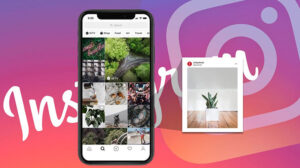
A personalized section that shows content Instagram’s algorithm thinks you’ll love, based on your interests and interactions.
Read more: To boost your content visibility, it’s crucial to understand the rules behind Instagram’s feed and Reels. Learn more in What Is the Instagram Algorithm in 2025.
Direct Messages (DMs)
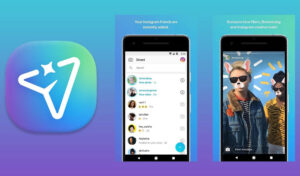
Instagram’s private messaging feature (Direct Messages or DMs) allows you to communicate privately and securely with one person or a group of friends and followers. This tool is not only useful for personal communications but also for team coordination, customer Q&A, and engagement with business followers.
Read more: The “Ask Me a Question” sticker is a great tool for connecting directly with your followers. To learn all the details and tricks, don’t miss the information.
Instagram Live
Real-time video streaming where creators can interact directly with viewers.
One of the most effective ways to increase engagement with your audience is to use Instagram’s Live feature. In the article How to go live on Instagram you’ll learn step by step how to conduct a professional live and create real engagement.
Shopping & Tags
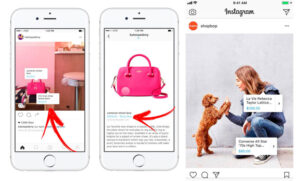
Businesses can tag products in posts and allow users to shop directly through the app.
Choosing the right hashtags can multiply your views! To find the best hashtags and get more views for your reels, read the article Effective Hashtags for Instagram Reels to make the best decision for success.
Notes & Channels (newer features)
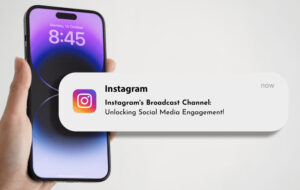
Quick text updates and broadcast channels help users share thoughts or announcements instantly.
If you want to connect directly and purposefully with your followers, get complete data about the Instagram Broadcast Channel. This tool helps you get your content and information right into the hands of your audience.
Profile Types
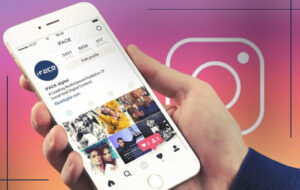
Image-based social network offers Personal, Creator and Business profiles, each with different tools and permissions.
Each feature serves a unique purpose; together, they create a dynamic ecosystem that keeps people scrolling, sharing, and engaging.
How to Create an Instagram Account? (Steps)
Setting up your Instagram presence is a quick, straightforward process that starts with the app download and concludes with essential profile customization, opening the door to a global community.
- Download the App: Available for iOS, Android, and via desktop browser.
- Sign Up: Register with your email, phone number or link it to a Facebook account. This initial sign-up process is the fundamental step for every new user.
- Choose a Username & Password: Keep it simple and recognizable. If it’s for business, match it with your brand name.
- Set Up Your Profile: Add a profile photo, write a short bio, and include a website or contact details if relevant. A compelling bio and an appropriate profile picture are key to successful Instagram profile customization.
- Start Following & Posting: Follow friends, brands or creators you love. Then post your first photo, reel or story.
Pro tip: If you’re setting up a business account, switch to a professional profile in settings to access analytics, promotions and insights. Whether you’re setting up a business or personal account, mastering the Instagram account setup process ensures you start off with the right foundation for success.

What Kind of Content Can You Post on Instagram?
Instagram supports a versatile range of content types (including photos, videos, carousels, and Stories), allowing users to select the best format to achieve their specific goals, whether it’s storytelling, quick updates, or high-reach entertainment.
- Photos: Classic and timeless, perfect for showcasing products, art or special moments.
- Videos: Great for storytelling, whether it’s a 15-second reel or a longer tutorial.
- Carousels: Multiple images or videos in one post, ideal for step-by-step guides or product highlights. Posting on Instagram should always align with what your audience is most interested in.
- Stories: Best for quick updates, Q&As or limited-time offers.
- Reels: Fun, fast-paced and discovery-friendly, they often reach audiences beyond your followers.
- Live Videos: Connect directly with followers through real-time conversations.
For example: A travel blogger might post breathtaking photos of Bali on their feed, create short “packing tips” reels, and share live Q&As during their trip. This mix keeps their audience entertained and engaged.
Read more: To truly grow on Instagram, it’s not enough to just post! If you want to see how you can attract real, engaged followers, be sure to get important tips and rules in How to Increase Instagram Followers in 2025.
Instagram Tips & Best Practices
For sustained growth on Instagram, the best practices involve posting consistently, engaging authentically with your audience, leveraging strategic features like Reels and hashtags, and routinely analyzing your performance insights.
- Post Consistently: Quality matters, but consistency builds trust. Try to post a few times a week.
- Use Captions Wisely: Tell a story or ask a question that encourages responses.
- Leverage Hashtags: Use a mix of popular and niche hashtags to boost discoverability.
- Engage Authentically: Reply to comments, react to stories and appreciate your followers; engagement is a two-way street. For those new to the app, this social media guide for beginners emphasizes interaction as the fastest path to growth.
- Analyze Your Insights: Track which posts perform best and adjust your strategy accordingly.
- Experiment with Reels: The algorithm currently favours video content; creative, short-form videos can reach a wider audience.
- Collaborate: Partner with creators or brands for cross-promotion and exposure.
- Stay Updated: Instagram frequently releases new tools (like broadcast channels, reminders for events and collaborative posts). Staying informed helps you stay relevant.
- Utilize Profile Type Features: Switching to a Business or Creator profile unlocks analytics, scheduling tools and promotional capabilities.
The app also increasingly supports monetization; creators can earn through branded content, sponsored posts, affiliate partnerships, Instagram Live badges, subscriptions and shopping tools.
Using Instagram also means navigating privacy settings, safety features, and community guidelines. Whether you’re a creator or a casual user, familiarizing yourself with settings like account privacy, comment controls, and content moderation helps build a safe and sustainable presence.
The platform’s translation features in Instagram DMs are also a part of its move to support multilingual audiences and global reach, allowing businesses to reach audiences across languages and regions.
Finally, make sure to keep your account secure! Changing your password is the easiest way to protect your account. For a complete, step-by-step guide, check out the article carefully.
At the end
The Instagram platform isn’t just another social app; it’s a dynamic environment for creativity, storytelling and growth. Whether you’re here to share your art, promote your business, or connect with others, understanding what Instagram is and how to use it empowers you to express your identity authentically and reach the right audience.
Now it’s your turn, take what you’ve learned and dive in! Ready to get started? Create your first post today and explore your creative side. Already an Instagram user? Share your favourite feature in the comments below!
Building a business? Try switching to a professional account and tracking your growth. Want to go viral? Experiment with Reels and see how far your creativity can take you.
How do I create an Instagram account?
Download the app, sign up with email or phone, pick a username, and start posting.
What can I do on Instagram?
Post content, watch Reels, follow others, chat, share your moments, and explore trending media.
Is Instagram free to use?
Yes, but some features, like ads or promotions, are paid.
How can I keep my account private?
Go to Settings > Privacy > Switch to Private Account.
What’s the difference between Stories and Reels?
Stories disappear in 24 hours; Reels are short videos made to reach more people.